7-DayChallengeCounter

Sign up for the 7-Day Email Marketing Challenge Here!
HomeResourcesArticles&NewsInteractiveLinksAbout UsContact Us
 Home > Interactive Content > Biz Plan Help Blog

Saturday, February 18, 2017

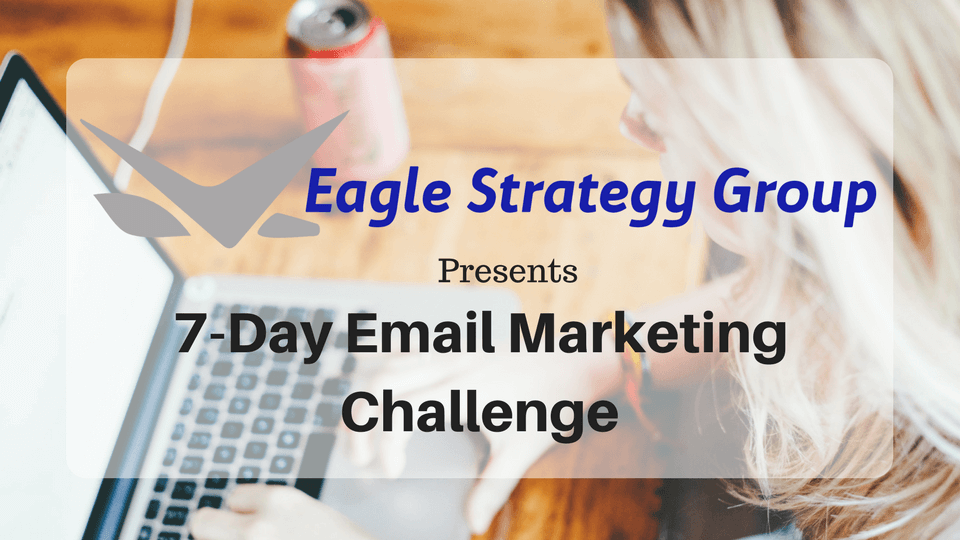
Sign Up for the FREE 7-Day Email Marketing Challenge


email marketing challenge

In the Email Marketing Challenge, over the next 7 days, we’ll go over a variety of tips and techniques that will help you improve your email marketing game.

Some of the challenge will involve planning so you know what to email about. Additionally, we’ll talk about relationship building and how to make sure you give your readers what they need. Along the way, I also have some great copywriting advice for you. In fact, this will help you get better at crafting subject lines and emails that your readers will open and read.

What is Included in the Email Marketing Challenge

The course is delivered via email over 7 days and is completely FREE. Moreover, there is some bonus content to keep your email strategy rolling after the 7th day. Here is a breakdown of the course:

Day 1 – Start With A Plan
Day 2 – Review Your Welcome Email
Day 3 – Broadcast Emails, A/R’s, or Both?
Day 4 – How Often Should You Mail?
Day 5 – Mapping Out A Content Strategy
Day 6 – Repurpose Your Emails
Day 7 – How to Write A Great Solo Email

Sign up for the Email Marketing Challenge here.

Thursday, May 12, 2016

Best Selling Small Business Marketing eBook is Free on Amazon Today

Scarcity Marketing Campaigns: Your Guide to Building Scarcity Social Media and Email Marketing Campaigns was originally published on Amazon in April of 2016. The second edition was recently released and it has climbed to #1 in Direct Marketing and #1 in Small Business Marketing on the Amazon Best Sellers lists.
On May 12, 2016, and May 13, 2016, Scarcity Marketing Campaigns is available for free on Amazon. The regular price is $2.99. You can download it now here. If you would like to read a free preview, you can read a preview in your browser or download the pdf on the Scarcity Marketing Campaigns website.

What is Scarcity Marketing?

Scarcity Marketing is the use of tools and tactics to create demand for your product or service by implying to potential customers that there is short supply or that an offer is ending soon. A simple example is that you need to download the Scarcity Marketing Campaigns eBook by the end of day on Friday, May 13, 2016, to get it for free.

About the Scarcity Marketing eBook

  • Are you just getting started with social media and email marketing and need help with your strategy?
  • Are you already producing social media and email marketing campaigns, but can’t get your followers to buy?
  • Are you frustrated with marketing and feel your sales funnel is broken?
  • Are you getting some conversion from your marketing efforts, but want to do better?
In this book, I will teach you everything you need to know to create your own Scarcity Marketing Campaigns. Even if you have just started and only have a couple followers or have just started collecting email addresses, following the instructions in this book will help you engage with your followers, improve conversion, and increase sales. For more information click on the Amazon banner below or go to the Scarcity Marketing Campaigns website.


Tuesday, May 03, 2016

Take Your Social Media and Email Marketing to a New Level

Scarcity Marketing Campaigns (eBook) is your guide to building scarcity social media and email marketing campaigns that convert customers and grow sales.

Are you just getting started with social media and email marketing and need help with your strategy? Are you already producing social media and email marketing campaigns, but can’t get your followers to buy? Are you frustrated with marketing and feel your sales funnel is broken? Are you getting some conversion from your marketing efforts, but want to do better?

In this book, I will teach you everything you need to know to create your own Scarcity Marketing Campaigns. Even if you have just started and only have a couple followers or have just started collecting email addresses, following the instructions in this book will help you engage with your followers, improve conversion, and increase sales.

In this book, you will find easy step-by-step instructions to:

* Design your marketing campaigns
* Improve your sales funnel
* Create demand for your products and services
* Write email subjects that increase your open rates
* Write social media posts and calls to action (CTA’s) that get more clicks

I have seen readers increase engagement by 150% and sales by 40% in just their first 72-hour Scarcity Marketing Campaign. This is without spending a single dollar on expensive marketing tools and without spending additional time on marketing.

Get your copy today on Amazon.com!


Tuesday, January 19, 2016

Become a Growth Hacker for Your Startup or Small Business

growth hacker for startup and small business

Growth Hacker Background

At this point, I am sure most of us have heard of a growth hacker, growth hacking, sales hacking, or life hacking. Maybe, in the past when you see growth hacker or one of the other terms, you ignore. Maybe you don't know what a growth hacker or think it is a tech business thing? It is time to pay attention. You have a website, twitter account, facebook account, and other social media. You have profiles setup with travel organizations and local business organizations. These are all tech. It is time to start becoming a growth hacker for your small business or startup right now.
To become a growth hacker, you need to take advantage of readily available tools, tips, and tricks that are quick and easy execute. Topics cover a broad range of areas including sales, marketing, and productivity. A great growth hack can be completed in 15 minutes or less and improve one of these areas. String a bunch of these growth hacks together and you can achieve exponential growth in your business.
A business hack can be as simple as a productivity hack that changes your thinking so that any action you can get done in 2 minutes or less you do now. Or can be a more complicated process you can follow to increase twitter followers by 100% in 3 weeks.

Growth Hacker Invite

If you want to become a growth hacker or get better at it, have we got a deal for you. Sign up for the Business Hacking Newsletter for FREE and get the Business Hacking Toolkit. The Toolkit includes:


Is Howard Stern SiriusXM's Walmart

Can high revenue concentration cause future problems for SiriusXM Satellite Radio provider? A lesson in Pareto (80-20 rule) and revenue concentration.

Is Howard Stern siriusXM Walmart
This article was originally published on LinkedIn on December 1st, 2015. If you want to leave a comment or prefer reading on LinkedIn, you can go here - Is Howard Stern SiriusXM's Walmart
There are a lot of big names in the title of this article:
  •      Howard Stern - the "King of all Media"
  •      Walmart – retail store giant
  •      SiriusXM – the premier satellite radio provider in the United States, Canada, and Puerto Rico
Each of these giants has taken different paths, but all have seen meteoric growth to become the giants they are today.  Walmart opened its first store in Arkansas in 1962 and a little over 50 years later has over 11,000 stores in 27 countries.
Howard Stern started out on college radio at Boston University in the early seventies and after traveling from station to station; found a home in New York City, first with NBC Radio, then K-Rock, before ending up at Sirius. For more info on Mr. Stern’s early career, watch the movie “Private Parts”. Sirius does not release listener data, but Mr. Stern’s listeners were estimated at 12 million prior to moving to Sirius and with Sirius growing at 11% a year, it is safe to say he has at least that many listeners.
Sirius launched in 2002 and had grown to almost half a million subscribers prior to signing Howard Stern in 2004. Subscribers would grow to over 3 million prior to Mr. Stern’s first day on the air, and by the 2008 merger with XM, subscribers hit 8.3 million. Today, according to the SiriusXM Corporate Overview on their site, they have “more than 28.4 million subscribers”.
For those Howard Stern fans out there, we are within 2 months from the end of a five-year contract. At the end of this contract, Mr. Stern will have been with SiriusXM for 10 years. When he signed on the dotted line in 2004, I was already a Sirius subscriber. I was living in New York City and rock radio in the city was on life support, plus buildings affected the radio signal in my apartment. At the time, Internet radio and podcasts were not a great option as they were fledgling industries. Also, I was not a New Jersey Giants or New Jersey Jets fan. So the combination of a reliable signal, NFL games, and a variety of music stations had me sold.
Where does revenue concentration fit in? Read the rest of the article on Eagle Strategy Group to see.

Friday, October 16, 2015

Three Free Productivity Tools I Use Everyday

Canva, Evernote, and Dropbox are free business tools that are really free and really great!

Here are three free productivity tools that I use every day and they are really free. These tools don’t have free trials and you pay up in a few day if you want to keep using. They have free versions with enough features that you can get real work done right away.
Lifehacking - Three Free Business Tools

Free Productivity Tool #1: Canva - Amazingly Simple Graphic Design

As far as free business tools go, Canva is a new discovery for me. It was recommended to me by a follower on Twitter a month ago and I only recently gave it a try and was hooked.

Canva is the easiest web-based design tool that I have run across. It takes two minutes to setup an account, go through the tutorial and start designing your first project. There are tons of free templates and design features, but it is not overwhelming for first time designers. There is also a catalog of free graphics and paid graphics for only $1 each. You can even upload your own pictures. The "3 Free Business Tools" banner at the top of this article and the Scannable sidebar were created in Canva. Start using Canva now.

Read the rest of Three Free Business Tools I Use Everyday on Eagle Strategy Group. 

Thursday, October 06, 2011

How Social Media Reshaped Communications

I watched this web cast live on Wednesday October 6, 2011 and think it is worth the 50 or so minutes for you to watch the replay.  The presenter is Chris Bogan, President of Human Business Works.  Here is the teaser for the web cast:

One in eleven humans on the planet have a Facebook account. Social networks are now the #1 most visited site category on the Internet. Not since television in the 1950s has any one shift in the technology landscape driven such a large raft of behavior changes. Businesses are grappling with social media on several fronts: how do companies manage the use of social media internally and externally by employees? How do marketers and sales teams and customer service teams use social media to build relationships of value? Which policies and practices keep everyone operating in a safe-but-smooth zone? And how do we make value for everyone from these tools? Join Chris Brogan for a discussion of how to build a new dialtone in this environment.


View the web cast on the BrightTalk web site: How Social Media Reshaped Communications

Monday, February 07, 2011

Get More Followers on Twitter - Fill Out You Profile

I am in the process of going through the new followers for my Twitter account - @SMBStrategy - as well some accounts that I monitor for clients and still cannot believe that businesses setup a twitter account and do not fill in the profile. 

I am looking at a car wash/detailing business that is following me to see if I should follow back.  To decide if I want to follow back I go to their twitter page to see their profile, location, and tweets.  They have spent the time to setup a background that looks clean and professional, their tweets are almost all about their services, and their profile is not filled in.  Why spend the time to create a background and not the minute it would take to add a profile?

I will not follow... why?
1.  Their tweets are primarily about their services, so they are not providing me with other valuable information that I want to know.  They do have a couple tweets on salt damage, but that's it.
2.  Issue #1 would not be bad if they were near me and I like getting my car washed, but they have not put their location on their background or profile, so I have no clue where they are.  One can make the argument you can follow one of their tweets to their web site and see where they are, but isn't part of the draw of Tweeter getting info without going to other sources...

Other than my rant, there are other reason to fill out your profile completely.  Your Twitter profile is crawled to deliver search results within Twitter and through 3rd party applications.  This is one of the ways for followers and potential customers to find you.  Also, include you full domain in your profile for SEO purposes, not a shortened redirect link. 

Good luck setting up your account and happy tweeting...

Friday, January 07, 2011

Internet and Social Networking Strategy Case Study

Jan 7, 2011 - Bridgewater, NJ - Eagle Strategy Group LLC (Eagle) has release a case study for a completed project that included an Internet and Social Networking Strategy.

Eagle's client was an Airport Parking Operator near a major airport that competed for parking customers with the airport, other off-airport parking operators, and airport hotels. The client was looking for a marketing strategy that utilized their web site and social networking to increase web traffic and sales.  To complete the project Eagle setup accounts for the client on Social Networks: Twitter, FaceBook, LinkedIn, Foursquare, and MerchantCircle as well as setup a form for collecting email addresses for a monthly newsletter. Eagle made regular posts to each Social Network and wrote and distributed the monthly newsletter insuring all media was conveying a unified marketing message.  Read the Internet and Social Marketing Case Study and go to the Eagle Strategy Group Management Consulting site to learn more about Eagle.

Tuesday, November 23, 2010

Apple iOS 4.2 Software is Here, But What Does it Mean for You?

November 23, 2010 - BizPlanHelp.com - The day has finally come, iOS 4.2 is here!  For iPad owners this day has been much anticipated as it brings a much needed feature - Multitasking.  If you bought an Apple iPad prior to today, as I did,  multitasking was one of the most noticeable features missing.

What does multitasking bring to the iPad?  Finally, you can listen to your music and surf the web at the same time,  You want to read your email and listen to a Podcast at the same time?  No problem.  The new iOS 4.2 also brings folders to the iPad, which will allow you to organize you to declutter your home screen.  If you are app hungry like me, your home screen is really 4 to 5 home screen.  I am already picturing a one folder for games to rule over all those game apps.

For those that have an iPod Touch or iPhone, multitasking and folders is not new.  The Touch and iPhone got mutitasking over the summer with iOS 4, which was never made available for the iPad.  But there are other feature upgrades in iOS 4.2 that are for iPad, iPhone and iPod Touch owners including AirPrint and AirPlay.  AirPrint is very useful by allowing you to print from your iPhone directly to a printer.  AirPlay, while not as useful as the other upgrades, allows you to stream your video and audio content to Apple TV or AirPlay enabled speakers.  Whereas not many people have Apple TV to take advantage of this feature, it does have a coolness factor.  Also, I see a pair of AirPlay speakers for my office in my future - Santa are you reading this?

For those non-Apple people, there is now even more reason to have Apple envy, but there is a bright side.  The imitators are on their way and they will copy these new features just like they have been following the road map laid by Apple over the last decade.  The tablet and phone software and hardware people are looking up at Apple, but Apple's view down on everyone else is not from the same height that it was 6 months ago.  Droid handsets are hitting the market en mass.  Dell, HP and Samsung have tablets that they are hoping compete with the iPad. For now the iPad is on the top of the market. 

Curious about what apps are on my iPad, go to What is on my iPad?


Thursday, October 28, 2010

Open Letter to Digg.com - Why Game Your Own Algorithm?

I am not a Digg power user and I have not used Digg continuously. I check out Digg from time-to-time and usually because I get directed there by a 3rd party to read an article. But with the recent changes to the “New” Digg, I actually signed up for an account (Profile: SMBStrategy) and have been gradually adding links to my web sites. I am also working with a client right now to include Digg in their social networking strategy. How I use Digg and will use it with clients is not greatly affected by the recent accusations, but it does make me think about ethics and the Internet and how the culture among Digg users expects openness.

Since I am not a power, I am coming to the game late, but this post by LtGenPanda called “Did Digg Game Its Own System?” is very compelling and the data speaks for itself. If not Digg, Someone is gaming the system. Also, if this was orchestrated by Digg, and I am not saying it was, I am sure there was a good reason. With all the unrest at Digg, there needs to be a shake up. There needs to be a better strategy that includes better revenue streams, but back to ethics and the culture.

The solution is that Digg should be open about the new strategy and don’t hide. Let’s call it what it is – ADVERTISING – and label it as advertising or sponsored listing or featured listing or Digg Digged this Article. At this point we have all been programmed to see advertising on most web sites and certainly on search engines, directories and other aggregators. Twitter has even slid in sponsored recommendations and labeled them as such.

Update: Since I originally wrote this post, Digg has apologized and clarified what that the fake users was just to test their algorithm. I am not going to get into it here, you can read about it at ReadWriteWeb or on the Digg Blog. Despite these moves my message is still the same - open communication and a new business model that includes paid sponsored listings, after all accepting these changes is better than no Digg...

Follow me on Digg: http://digg.com/SMBStrategy

Thursday, October 14, 2010

Why You Should Know What LongURL.org Is?

I found out about LongUrl.org while reviewing the web log files for a client. The site is a new site, so there was not a lot of traffic, so even though there were not a lot of visitors coming from the url, it stuck out. When I looked at log files from other sites, I saw the url as referrer in each site. I needed to investigate...

LongURL.org's message is "Avoid phishing, malware, and viruses by examining short URL's before visiting them." There service is simple - paste a shortened URL like the ones I create with Bit.ly for use on Twitter and click expand. The results are the destination page title, long URL, and if there are an redirects. When I pasted the shortened URL from my last blog post here were the results:


It is an extra step, but what do you really know about who you are following on Twitter beyond the 160 character bio? If you are not sure why not take the extra 30 seconds to check it before you click it.


- Posted using BlogPress from my iPad. Follow me on Twitter @SMBStrategy
82a7251454f1408db9b2ccece2b25d5b

Wednesday, September 22, 2010

What Is The Future of eMail and Snail Mail

A few weeks ago I tweeted:
Are you ready to say goodbye to email and email marketing? - All Email is Spam http://bit.ly/cNTBqC #Baseline

The article referenced in the tweet is an article from Baseline Magazine by Samuel Greengard. The gist of the article is that Mr. Greengard has returned from vacation to an inbox with 3,600 emails. He questions the value of all the various newsletters and other emails and goes on a campaign to unsubscribe and delete.

We have probably all been to this point, in fact I do not travel anymore without access to email or else my first two days back in the office are just spent wrestling the inbox. There are a couple things that I try to do to keep my inbox manageable:
1. I have a folder system where all keeper emails go.
2. I have a folder labelled AAA where emails I am not sure about go. Once a week, I delete any email in this folder older than 60 days. If I have not needed the email in 60 days, I probably don't need it ever.
3. Finally, if you are not reading that great email newsletter that you subscribed to because you needed it every day, then unsubscribe.

With your email inbox managed, what about snail mail. The amount of junk mail I receive is crazy. I put my mail on hold for a week in August when I went on vacation and when I returned I had a bin waiting for me. Most of the contents of the bin was junk that was either shredded or went straight into the recycle bin. Half the mail was addressed to previous residents of my townhouse and why do I need 12 credit card applications from the same bank in a 7 day period? Check out this web page on what to do if you have the same problems with mail: http://www.obviously.com/junkmail/

- Posted using BlogPress from my iPad. Follow me on Twitter @SMBStrategy

Wednesday, August 04, 2010

Are Mobile Barcode Tags Ready for Primetime?

When I opened my Crutchfield catalog I new I was destined to write about mobile barcode tags. The subject has been coming up more and more lately. Then this afternoon I am listening to the No Agenda Podcast, where barcodes are mentioned, then I open up the Crutchfield catalog and bam, on page five a barcode.


Sorry about the quality but I snapped this with a Blackberry Storm and then increased the brightness. The good news is the quality is good enough for the App, which means you can take a picture of the screen to try it yourself.

I ended up loading the App on the site in the above image, http://gettag.mobi, which is a Microsoft App simply called Tag. I tried loading an App from the Blackberry App store, but the App that seemed to be the right one had a half star rating. I won't mention the App by name, but all 56 reviewers said it did not work. I did not even bother to try it, but wonder why is this App even in the store?

It took only a few minutes to download, install, and setup Tag. I then clicked the scan button in the App which took me to the built in camera App. I took the picture and was redirect back to the App, which took 10 seconds to process before opening the browser and directing it to the Crutchfield article.

There is definitely a cool factor with this technology and I can think of a lot of uses. In this sample I was directed to a static web page, but one could also be directed to audio or video. This opens up the options. Add a barcode to a piece of art at a park and someone can be directed to an audio file on the background on the artist. Include a barcode on a coupon that opens a mobile web page with directions. Definitely a cool factor but I question how many of your customers are using or will use vs. What it takes to setup.

- Posted using BlogPress from my iPad. Follow me on Twitter @SMBStrategy

Tuesday, August 03, 2010

Optimizing Your Twitter Profile and Adding Your Twitter to Directories

Before spending time on directories review your profile. Most directories show your profile in search results and allow one to search on a profile. The same care should be taken when writing your Twitter profile as any web site Search Engine Optimization (SEO) exercise. A good correlation is comparing your Twitter profile to the meta description tag on a web site. Your profile should include your keywords but at the same time look like real English.

Here is what the search results on Twellow look like for my Twitter account - @SMBStrategy. The description is the bio from my twitter account and it includes my full company name, web address, as well as some of my keywords like new jersey, management consulting, and small business.


Most of these directories are pulling data from Twitter so chances are you are already in a directory. My own Twitter account as well as those of my clients were in the directories I tried. In the case of Twellow, it only takes a few minutes to claim your Twitter account and be able to edit the profile. The stress is that some of these directories including Twellow require you to submit your Twitter user/password.

Once you have signed up for a directory there are options to update your profile to improve how your Twitter shows up in search results. Some options include a long profile and adding categories. Just like your Twitter profile, you should treat this as an SEO exercise. What are your most important keywords and is it possible to link back to your site using these keywords. In the long profile for Twellow, I linked back to my site using the management consulting keywords. For WeFollow I choose tags that included my keywords like managementconsulting and businessplan.

For more information on Twitter directories you can view the list i setup in Twitter @SMBStrategy/twitter-directories. Also check out the article "5 Most Popular Twitter Directories That Will Grow Your Personal Brand". The article includes links to the directories and their registration pages.

- Posted using BlogPress from my iPad

Monday, August 02, 2010

Should You Include Foursquare as Part of Your Social Network Marketing

From local small businesses to global corporations, more companies are turning to social networks as a way to get their message heard. I have been working with clients over the last couple years to navigate setting up LinkedIn or including Twitter and Facebook in marketing strategies. Now I am working on tying foursquare into a marketing program for a client.

What is foursquare? Well it is a location based social networking site that allows users to sign in at places that are included in their database like the nearby Starbucks or local pizza place. When a user signs in at a location they get points toward virtual awards and has the option to "Shout", which is sending out a short message to their friends. Where the service gets interesting from a business stand point is a location owner can push info to a user that signs in. For example the local pizza shop can offer a free soda when someone signs in. If this short description is confusing or you want more background on foursquare check out this article that I tweeted about a couple days ago "Whats Foursquare All About? Simple Guide From A Power User July"

Getting started with foursquare is simple and it is free for businesses - just go to www.foursquare.com and sign up. If your location is already indexed it can be claimed, if not setting up a new location is easy. It does take a couple days to confirm a location but during that time you can learn the ropes and start planning how to include foursquare in your marketing plan.

Foursquare is a nice marketing fit for anyone running a retail outlet whether it is a restaurant, corner store, clothing retailer, book store or a bar. You can push promotions to those checking in and see reports showing key metrics including who is checking in and when. You can also integrate foursquare into your Twitter and Facebook accounts to insure you are delivering a uniform marketing message. According to the foursquare blog they hit 1.8 million users in June, so if you are a retailer or restauranteur, you should start using foursquare now.

- Posted using BlogPress from my iPad

Friday, July 30, 2010

Finally Blogging Directly From an iPad

After playing with some work arounds and trying to find a solid free app that works with Blogger, I have given up. I forked over the $2.99 on the Apple App store for BlogPress. I choose it because it seemed to come up the most when I searched for iPad blog apps on Google and it works with other social media like Twitter and Facebook.

I am writing this post with BlogPress and I have the Twitter option turned on so when I post this entry will go to Blogger and Facebook. I am not using the Facebook option because it looks like it will post to my profile and I would like to post to a page.

Take a look at BlogPress iPhone version:
BlogPress

Or iPad version.
BlogPress

- Posted using BlogPress from my iPad

Wednesday, July 28, 2010

Is Twitter the Apple iPhone and iPad Killer App

I have 30 days under my belt with the Apple iPad and find that the go to app is Twitter. I have been a casual user of Twitter and have even helped clients include Twitter in their marketing programs. I have Twitter on my Blackberry but find it slow and only useful for reading tweets, but the iPhone app that I loaded is packaged nice and easy to use. Even though it does not take advantage of the bigger iPad screen, I hit the 2x button and it looks OK.

The best feature of the app is the ability to setup multiple accounts without having to sign in and sign out to change accounts. You can also move lists and people you are following from one account to another. Managing multiple accounts is important to me because at any given time I am managing the bizplanhelp Twitter @SMBStrategy as well as a personal account and accounts that I administer for clients.

Another nice feature is built in browsing. One can click a link within a tweet and go to the site without leaving Twitter. Once done reading just click the "Tweet" button at the top left corner of the screen to return to the tweet. Because the browser is built in I can go back and forth from a Tweet to the Internet almost instantaneously, which is nice since iPad does not yet support multitasking.

One thing I would like to see changed is a button for the hash or pound symbol "#". For those not familiar with Twitter using the pound symbol, referee to as has tag in Twitter lingo, is used to categorize a tweet. On the standard iPad/iPhone keyboard that is located 2 clicks in to get to the special keys, so I am recommending a button on "New Tweet" screen. All in the convenience of the iPad tied with the ease of use of Twitter makes for an addictive combination.

Get the Twitter App by Twitter, Inc.

Monday, July 19, 2010

Life With the Apple iPad Day 5

It looks like I made the write choice on holding off on buying a word processor app for the iPad. In the June 2010 issue of PC World titled iPad vs. Everything Else the sidebar is titled Does the iWork Suite Work? Not Yet. The Not Yet part of the title sums it up - read the article at PCWorld.

Remote Access App
iRdesktop is a remote desktop app. I was able to setup a remote connection to a windows 2003 network in minutes by simply copying the settings from a windows vista laptop. This is an iPhone app so it does not take full advantage of the iPad screen and the scrolling can take a little getting used to. I was able to view applications, edit and save with no problems bring up the keyboard. I was not able to edit a server once setup even though there is an edit button. This is a free app and I will use until I find one that is more iPad friendly. Get iRdesktop by Thinstuff s.r.o. now.

The Big App Show - is created by Adam Curry. Yes, the former MTV VJ from back when the M stood for music. If you did not know, Adam has been at the forefront of digital media for years and has set up a digital media network company - Mevio. At Mevio you can download video and audio shows, but I digress, back to App Show. Here is how an article from The USA Today described the app:
On The Big App Show, Curry delivers breezy two- to four-minute features on "really cool" apps. He plays with the app on an iPhone so users can see how it works, rather than forcing them to stare at static screenshots.

Get the Big App Show from Zulu Apps LLC. now!

One of the Apps highlighted on the Big App Show is Talking Carl. Carl is a red animated creature that can best be described in a PC way as Elmo's cousin that takes the short bus to school. You talk to Carl and he repeats back in a high pitched mocking voice. You can also get reactions from Carl by poking, pinching, and tickling. I have recommending this app to a bunch of people with kids and every kid has enjoyed. Get Talking Carl by Awyse

iPDF Reader - I receive a lot of PDF files. This app allows you to open a PDF file directly from an email. I can simply email the app to my iPad and open. I have loaded the free version but there is also a delux version and iPhone version. If I am going to review the PDF file many times I add the pdf to iBook. By adding the PDF file to iBook it shows in the PDF section of the iBook library and treats the PDF like a book, which means you can add bookmarks and use the thumbnails at the bottom of the screento quickly go to a page. Get iBooks by Apple Inc. and iPDF Reader Free by Fubii.com

I continue to find more ways to entertain with the iPad, but also have made some progress on the business side. Remote access on the ipad is easy and the iPad is great for viewing PDF files. In fact, large PDF files are easier to navigate on an iPad than on a PC. I created this post in Evernote and so far have not needed a word processor app. I am able to move back and forth between browser and Evernote to put together this post, but not having multitasking is cumbersome. Looking forward to the fall update. I also hope the update fixes the wifi issues. I can't believe that I have to keep entering a wifi key.

Saturday, July 10, 2010

Life With the Apple iPad Day 3 & 4 - The Weekend

It's Saturday and I decide to postpone my previous return to blogging subject and instead blog this series on the iPad. I decide to write the blog on the iPad. I could use Evernote, but decide to go with google docs instead. I have been using google docs exclusively with one of my clients, so being able to use on iPad would be another set towed labeling the iPad legit for business. I open safari and login to google docs and see the familiar screen. I open a new doc and hit a dead end. I can't pull up the keyboard. To make a long story short one can view but not create and edit. And there does not seem to be an app for that... At least as I write this.

I hit the app store but I am not ready to commit to buy a word processor app. Instead I am writing in the iPad built in Mail app, which allows me to then email to myself to use my laptop to post. I have some other options that I will try:
1. Notes - preloaded in iPad and can email directly from a note. Even has spell check.
2. Evernote - I am already using this app on my iPad, laptop, and blackberry. The advantage is that notes are sync'd through Internet so I can start blog post on one device, finish on another, and post from a third.
3. Blogger - write my posts directly in blogger. The problem is I cannot scroll in the edit window in blogger. So if the post is more than 2 paragraphs, I cannot write or even edit after pasting into Blogger.

After getting the first blog post in order, I am back to the app store and here is what I get into:
Airport Info Lite - this app gives one info about airport amenities and surrounding area including parking, car rental, restaurants, hotels, gas, etc. I load the lite version and start looking up some clients in the travel industry. Find the app useful but find a bug - if try to press a push pin on map to get info, sometimes app closes. Get Airport Info Lite by UnitConvertr

Solitare by MobilityWare - this was a mistake as I found myself playing over and over. In fact I just went to the app to look up the publisher and had to play a game. Free though. Get Solitaire‌‌‌‌‌ by MobilityWare

Brick breaker - another waist of time game. This one looks like an iPhone app that has just been blown up to fit iPad, so graphics could be better, but you can't argue with the price - free. Get HD Brick Breaker Free by Storybird

Stumble upon - another great time killer, but it is the weekend. Load up your profile and this app randomly recommends web sites that match your profile. You have the option to give site thumbs up or down to improve your profile. Get StumbleUpon App

Made one step back with google docs, but after starting this post in email app I actually finish it in Evernote. So, I made one step forward and one step back. One thing I would like to see in the next version of the iPad OS is arrow keys on the keyboard. When editing text I found myself clicking multiple times to get curser in right place. It would be easier if I could get the curser close then use arrows to position the curser.